Time tracking
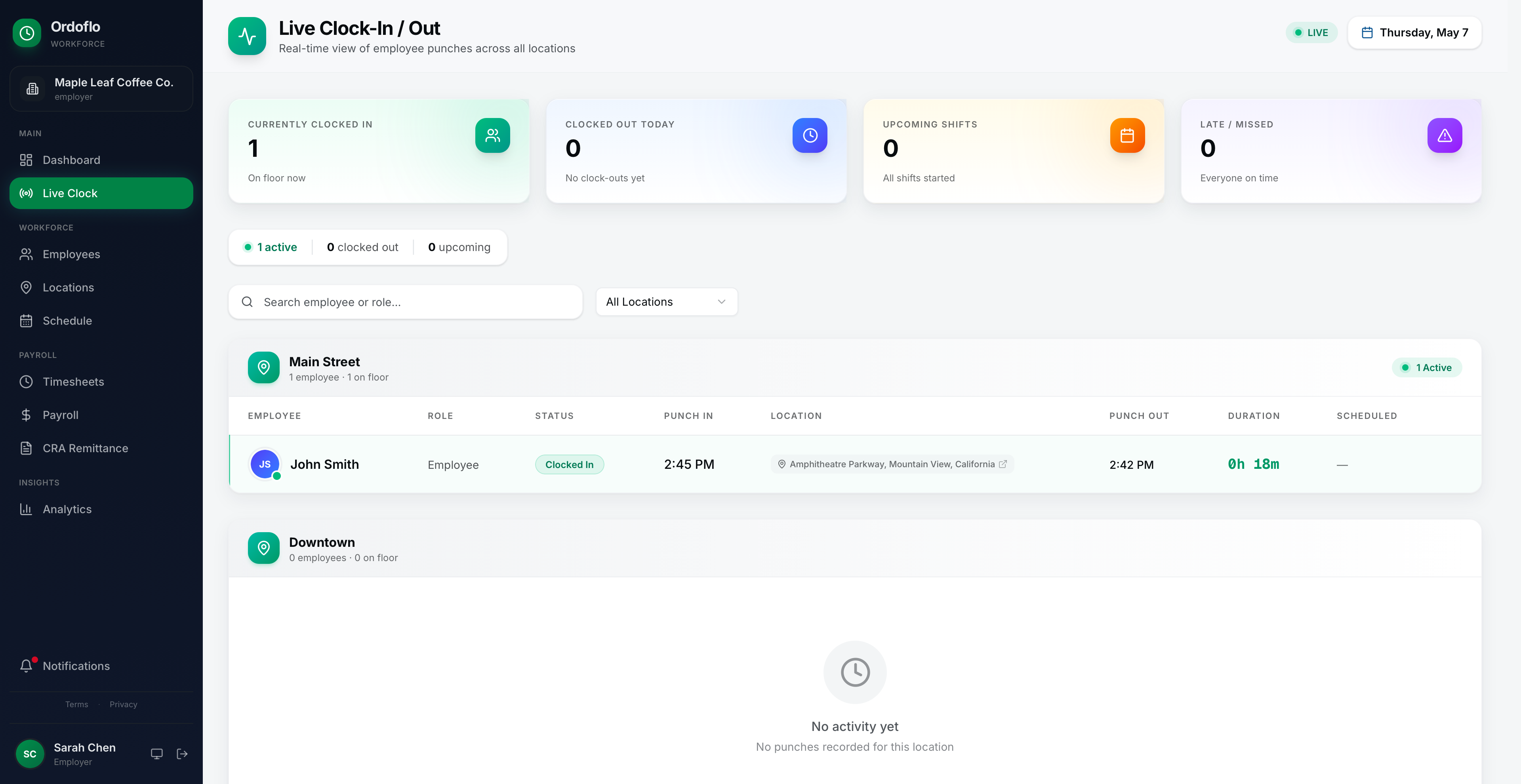
Clock-in / clock-out
Crew · ManagerPhone-based punches with GPS coordinates and a geofence per location. Falls back gracefully when staff are out of signal.
Time tracking, scheduling, and CPP / EI / tax calculations across all 13 provinces. Built for shops with 4 to 30 people, by someone who isn't a payroll company.
No credit card. Cancel by closing the tab.
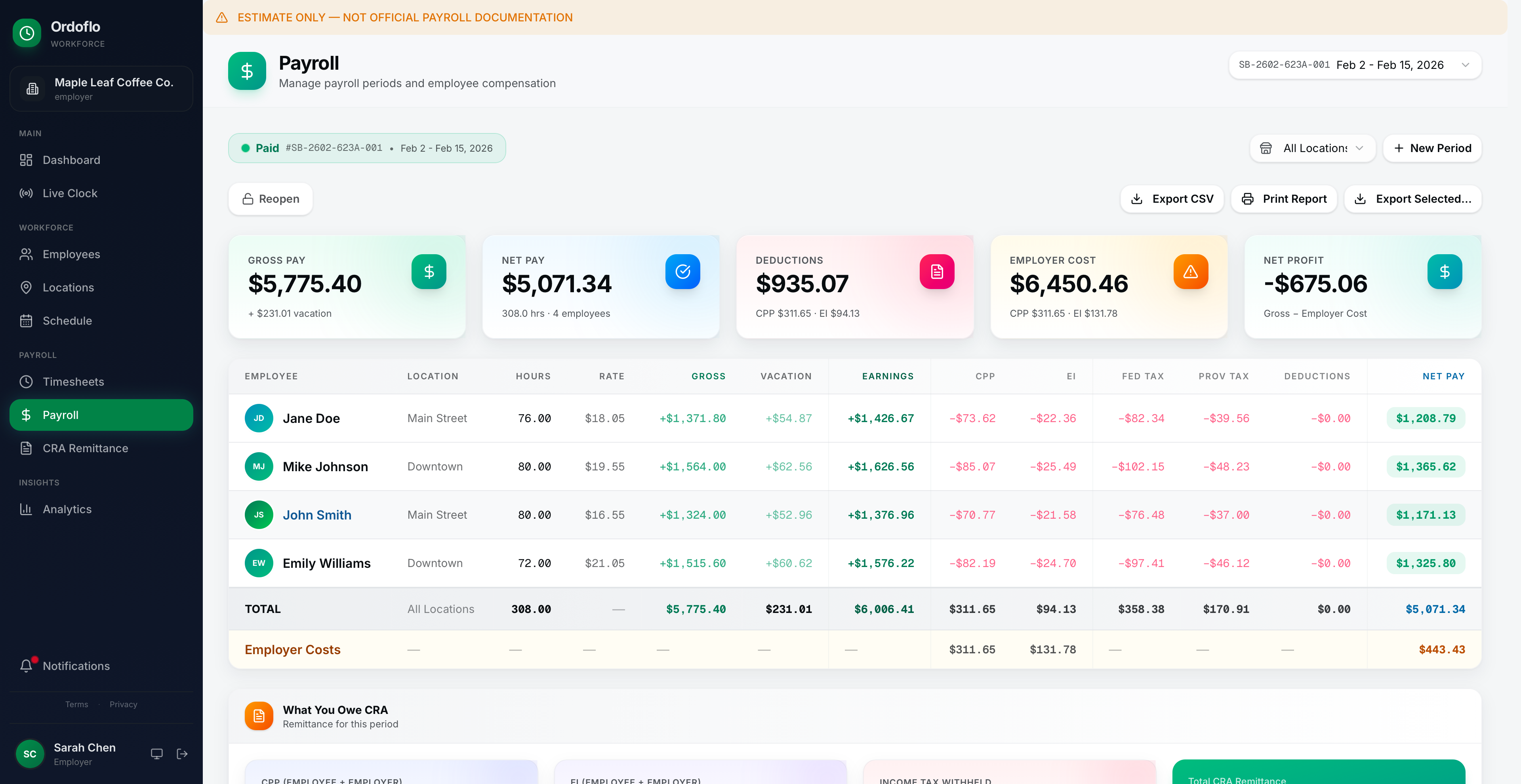 Payroll · Maple Leaf Coffee Co.
Built by a small team, led from a truck cab. I'm Navneet — B.Tech in computer science, programmed at Seneca from 2013–2015, then started trucking across Ontario. The shops I deliver to kept telling me the same thing: existing tools were too big and too expensive. So I gathered a team of engineers and built Ordoflo.
Eight working pieces, all wired together. Time tracking, scheduling, payroll estimation — the whole loop, from the punch on someone's phone to the CRA remittance summary your accountant signs off on.
Available onWeb (desktop or mobile browser), iOS, and Android. The same features run everywhere — the role tags below show who's most likely using each one.
Phone-based punches with GPS coordinates and a geofence per location. Falls back gracefully when staff are out of signal.
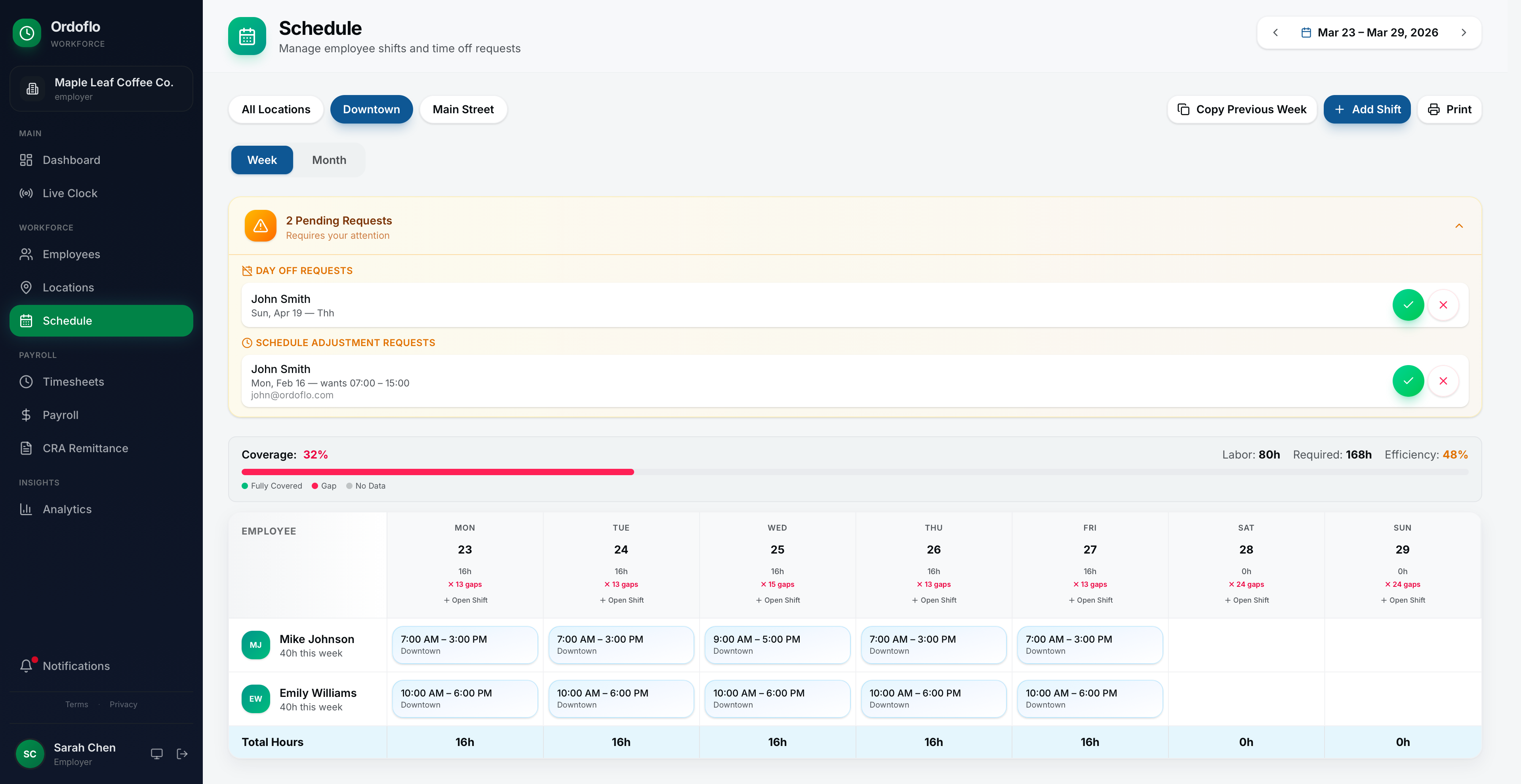
Build a week, copy it forward, drag shifts around. Crew sees their shifts the moment you publish.
Crew proposes swaps. The app flags overtime and double-bookings before you approve, so you don't have to do the math.
Employee requests, manager approves with one tap. Approved days drop into the schedule and block conflicting shifts.
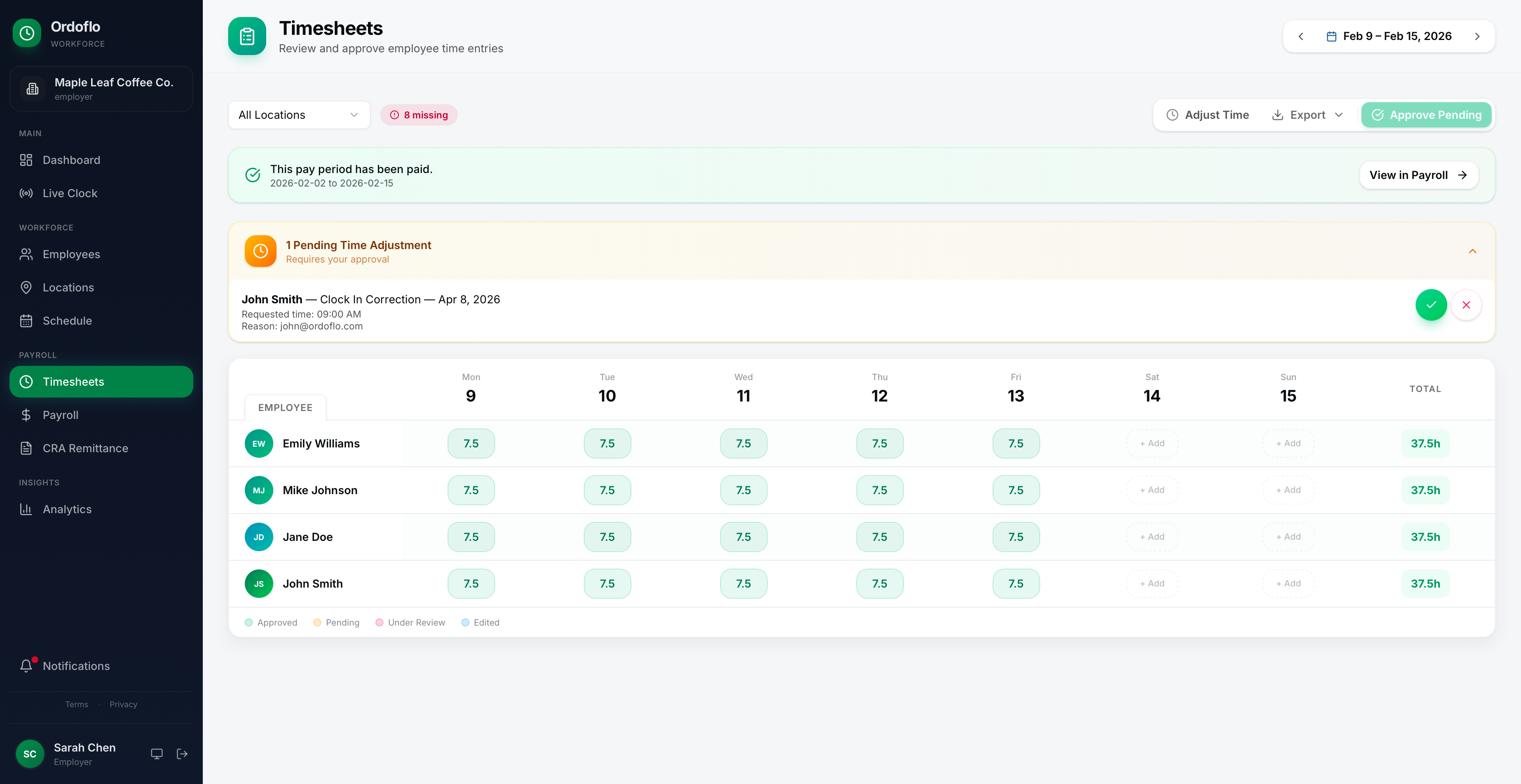
Weekly rollups. Edit a punch, leave a note, export CSV, or email your bookkeeper — without a separate export step.
Federal and provincial tax tables current to 2026. Generates a paystub PDF per employee plus a monthly CRA remittance summary.
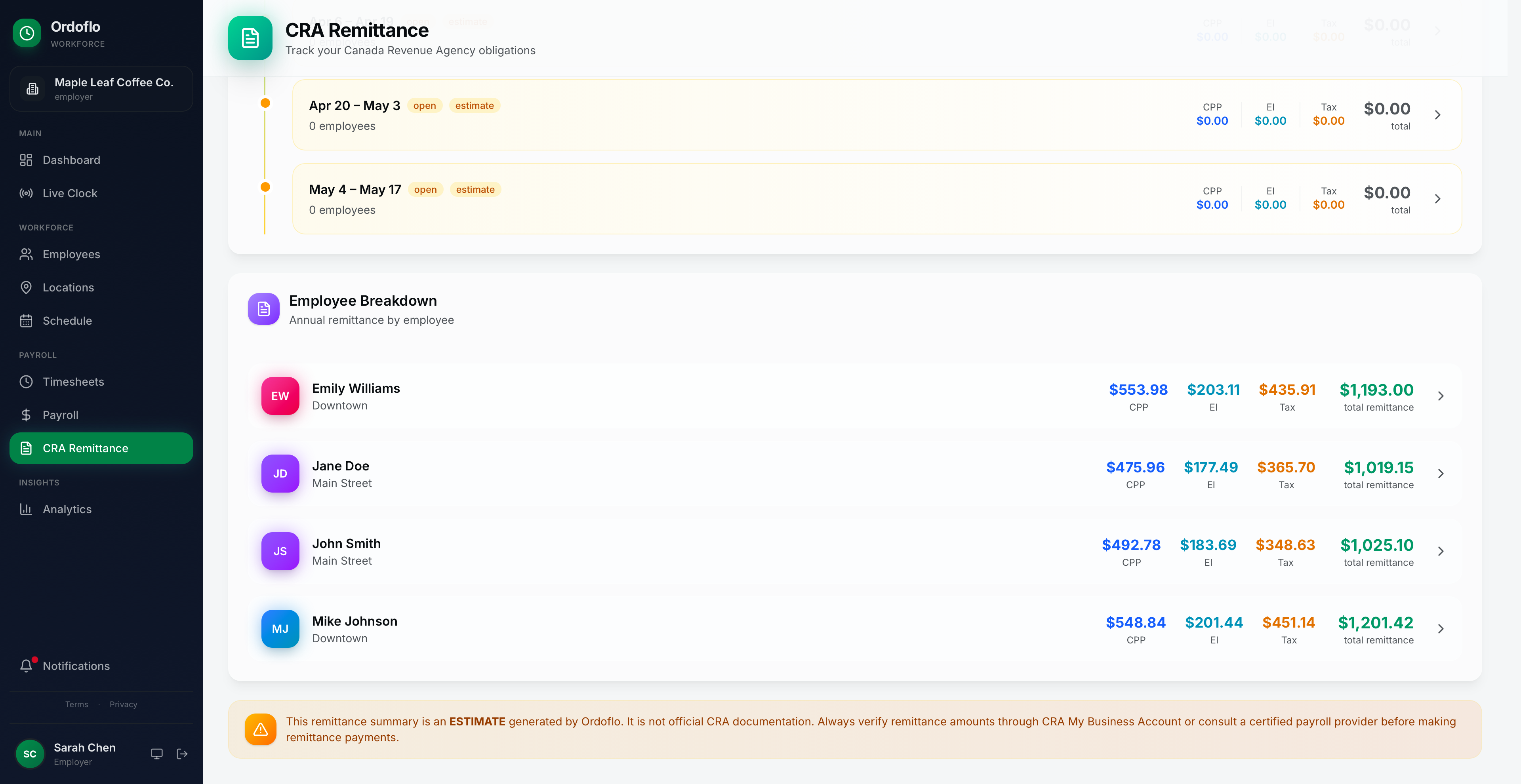
Monthly and quarterly sheets with the exact numbers the CRA asks for. The page your accountant actually wants to see.
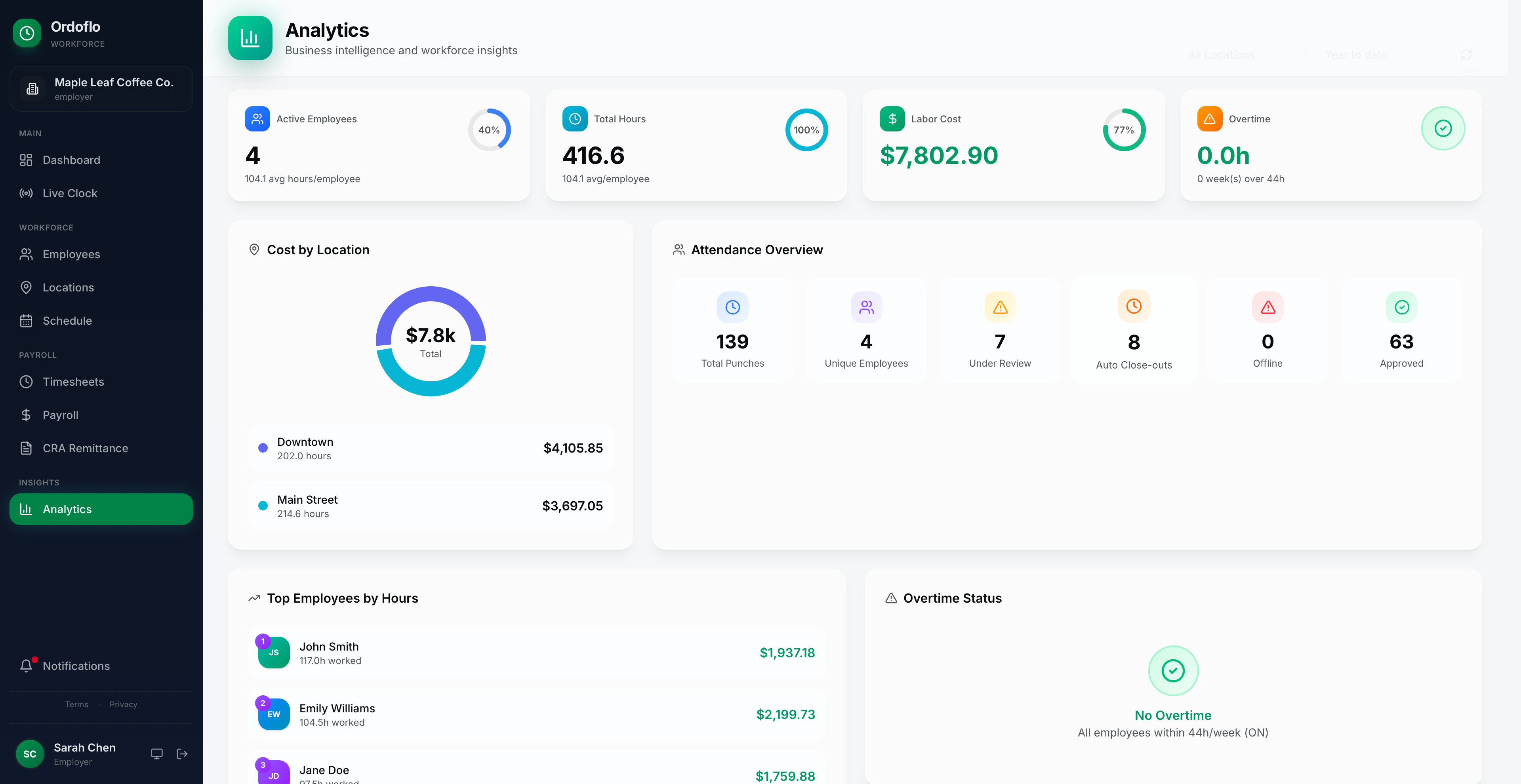
Hours by employee, hours by location, overtime, labour cost as a percentage of revenue. CSV-exportable, accountant-friendly.
Setup takes about ten minutes. After that, payroll Friday is a ten-minute job instead of a ninety-minute one.
Legal name, CRA business number, pay schedule (weekly · bi-weekly · semi-monthly), and at least one location with an address. Add your branding while you're there — paystubs and the employee app pick it up automatically.
Add them by email, pick a role — employee, manager, or owner — and Ordoflo sends them a welcome message with a link to set their password and install the app. You can change roles or remove people any time.
On their phone, on shift. The app records the time and a GPS pin. If they're outside the geofence you set for the location, it's flagged but they can still punch in — they just have to write a note. You see everything live, by location, while you're still on your first coffee.
Friday afternoon, usually. Hours roll up per person, you fix any wrong punches, hit Run payroll. The app calculates CPP, EI, federal and provincial tax, and gives you a paystub PDF for each employee plus a CRA remittance summary your accountant will actually thank you for.
Everything below is the actual product. Same UI you'll see two minutes after signing up.
One free plan that stays free, two paid plans with a 30-day trial. No “contact sales.” No annual commitment. CAD on the page, GST/HST per province at checkout.
1 location, up to 4 employees.
No card. No trial clock. Yours as long as your team stays under 4.
Multi-location, up to 15 employees. Most shops land here.
30-day trial. Cancel any time.
Multi-location, up to 30 employees.
30-day trial. Cancel any time.
Three calculators that live on the same domain. Use them, don't use them, link to them — whatever works.
Net pay from gross, with CPP, EI, federal and provincial tax. 2026 brackets.
Use it for Quick "what would this hire cost me?" math.
Open the tool →Employer and employee portions, side by side. Shows the YMPE / YAMPE split.
Use it for For when an accountant asks and you want to check.
Open the tool →Paste a paystub, see if the deductions add up.
Use it for For employees who think something's off and want to look.
Open the tool →If it doesn't pull its weight, close the tab and you've lost nothing. If it does, the price is on the page above and there's no upsell waiting.
navneetbrar@ordoflo.com · I read everything.